TheAutoReach

New: YouTube Shorts, Discord, Telegram, Pinterest & WordPress — schedule more channels Get started free →

Product · How it works

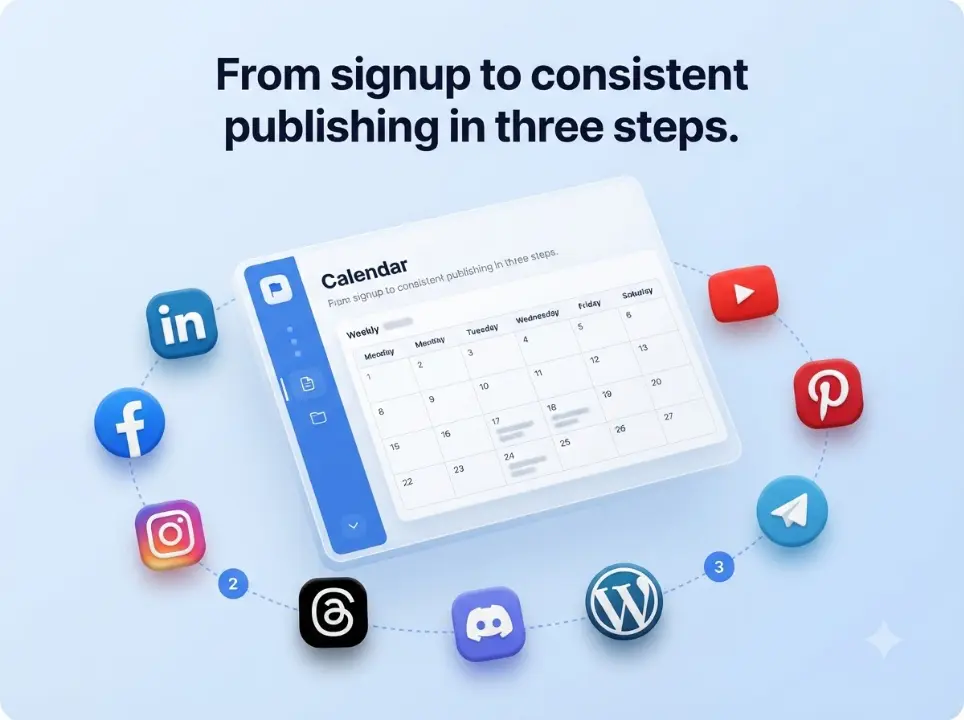
From signup to consistent publishing in three steps

Connect your accounts, schedule posts, and let TheAutoReach auto-publish to LinkedIn, Facebook, Instagram, Threads, YouTube, Discord, Telegram, Pinterest, and WordPress.

Connect

Official OAuth for your channels.

Compose

Write once, choose platforms.

Schedule

Pick the publish time.

Auto-post

We publish for you.

Step 1

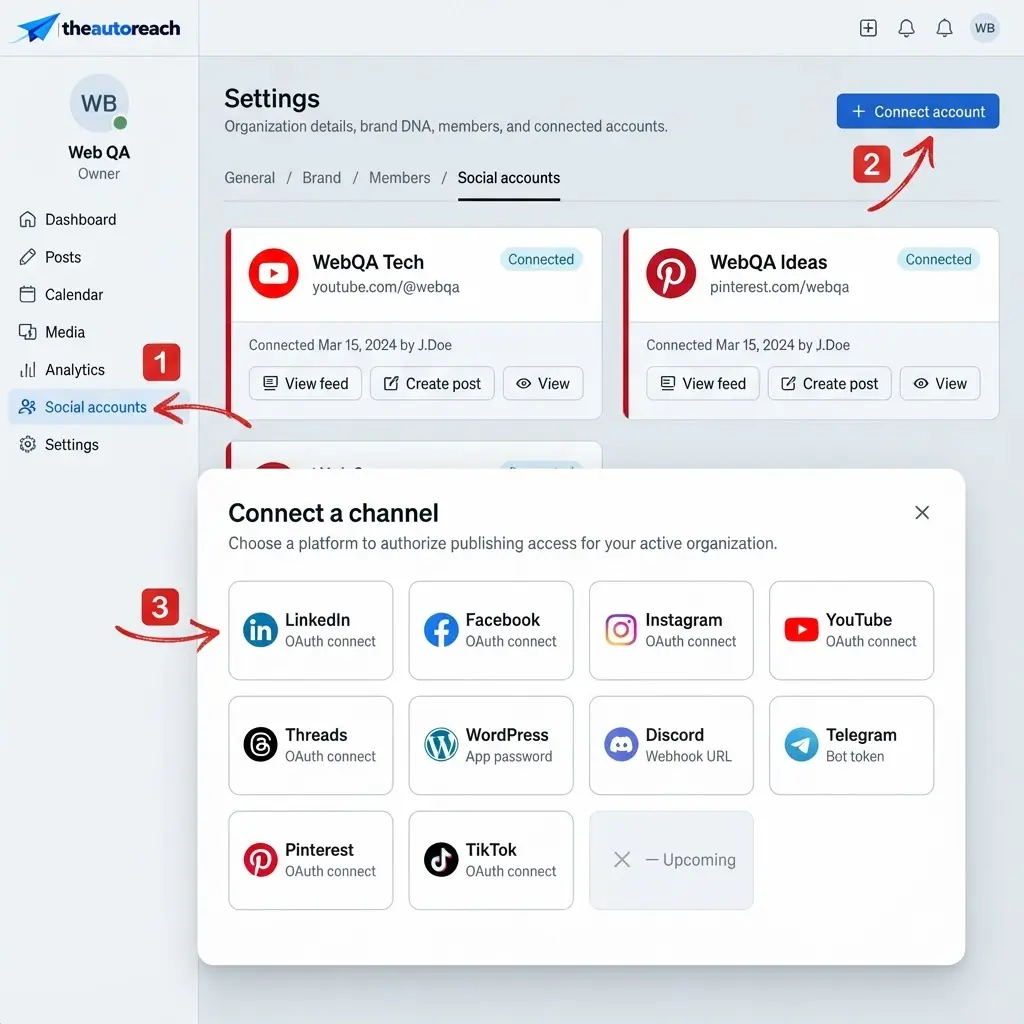
Connect your social accounts

Authorize LinkedIn, Facebook, Instagram, Threads, YouTube, Discord, Telegram, Pinterest, or WordPress through secure OAuth — no password sharing.

Step 2

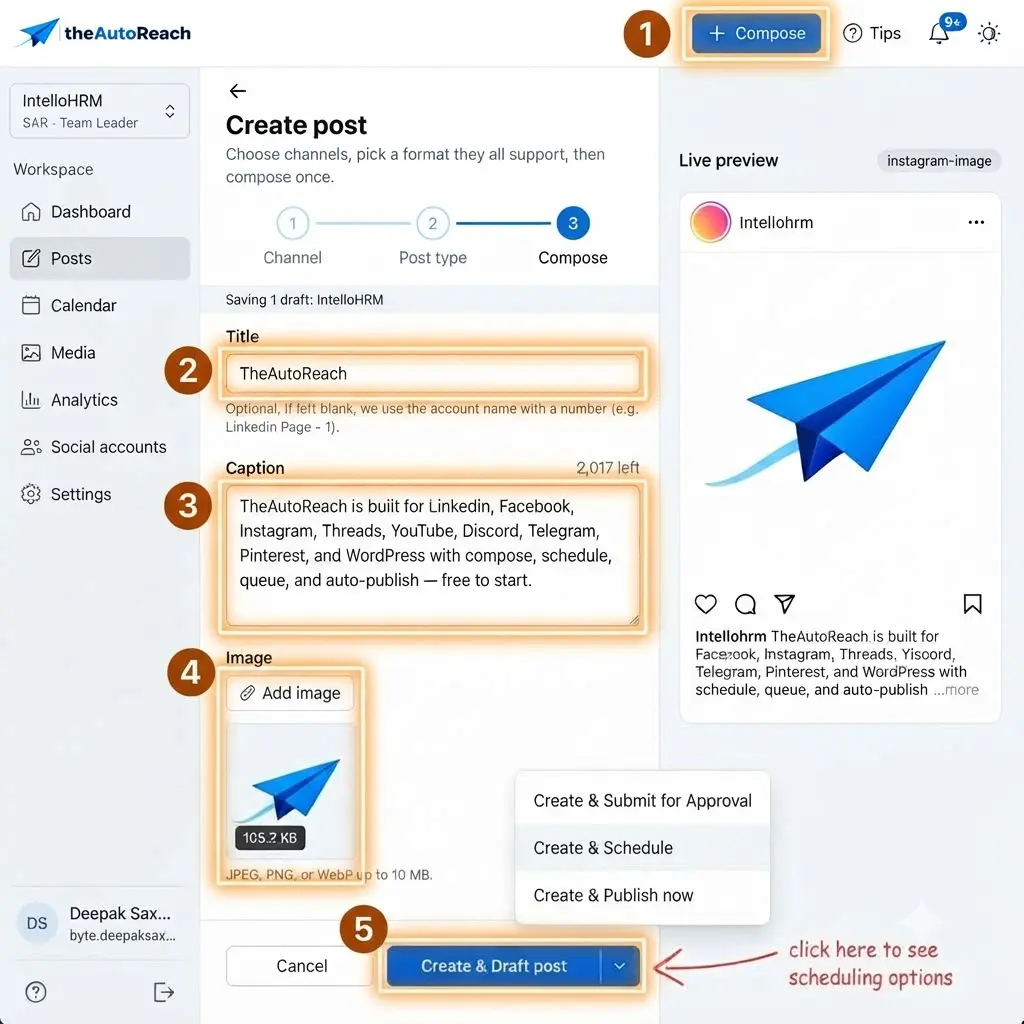
Create and schedule posts

Compose your update, pick platforms, and choose when it should go live.

Step 3

We publish on time

At the scheduled time, your content goes out automatically while you do other work.

How it works

1

Connect

Link your social accounts.

2

Schedule

Plan what goes live and when.

3

Grow

Stay consistent without daily posting.

“Scheduling once for nine platforms is a game changer.”

Founder · Early-stage SaaS

Keep exploring

Features

Explore the toolkit.

Integrations

See supported channels.

Pricing

Start free.

FAQ

You connect your social accounts once, compose a post (or a whole batch), choose which networks and times to publish, and TheAutoReach posts automatically. You can track the status of everything from a single queue.
Most people are up and running in a few minutes — connect a channel, write your first post, and schedule it. There’s no complex configuration to wade through.
Yes. Once a post is scheduled it goes live at the time you set, even while you’re offline. If a network has a temporary issue, we retry behind the scenes and flag anything that needs your attention.
Yes. The Free plan costs $0 with no credit card and no trial timer. It includes up to 25 social channels (5 workspaces × 5 accounts), 4 published posts per channel per week, and 3 team members per workspace, with auto-publishing to LinkedIn, Facebook, Instagram, Threads, YouTube, Discord, Telegram, Pinterest, and WordPress. Paid Starter and Business plans add more channels and posting volume — see the pricing page for current limits.
No. You can create a workspace, connect your channels, and start scheduling posts without entering any payment details. There’s no trial timer counting down in the background.
LinkedIn, Facebook, Instagram, Threads, YouTube, Discord, Telegram, Pinterest, and WordPress — all from a single workspace and one shared schedule, so you never have to log in and out of separate apps.
Absolutely. Connections use secure, revocable access, so you can disconnect any channel or close your workspace whenever you like. You’re always in control of your accounts and data.

See how simple publishing can be

Set up your workspace and schedule your first post in just a few minutes.

✓ Free to start     ✓ No credit card     ✓ Cancel anytime

HOW IT WORKS

See how TheAutoReach works in minutes

Connect your social accounts, bring your team together, create, approve and publish content — all in one place.

  • Easy setup
  • Built for teams
  • Manage your social accounts
STEP BY STEP

Get from signup to success

Five simple steps to connect channels, collaborate with your team, and publish on schedule.

Create your account

  • Sign up with Google, Microsoft, or email
  • Create your workspace in under a minute
  • No credit card required to get started
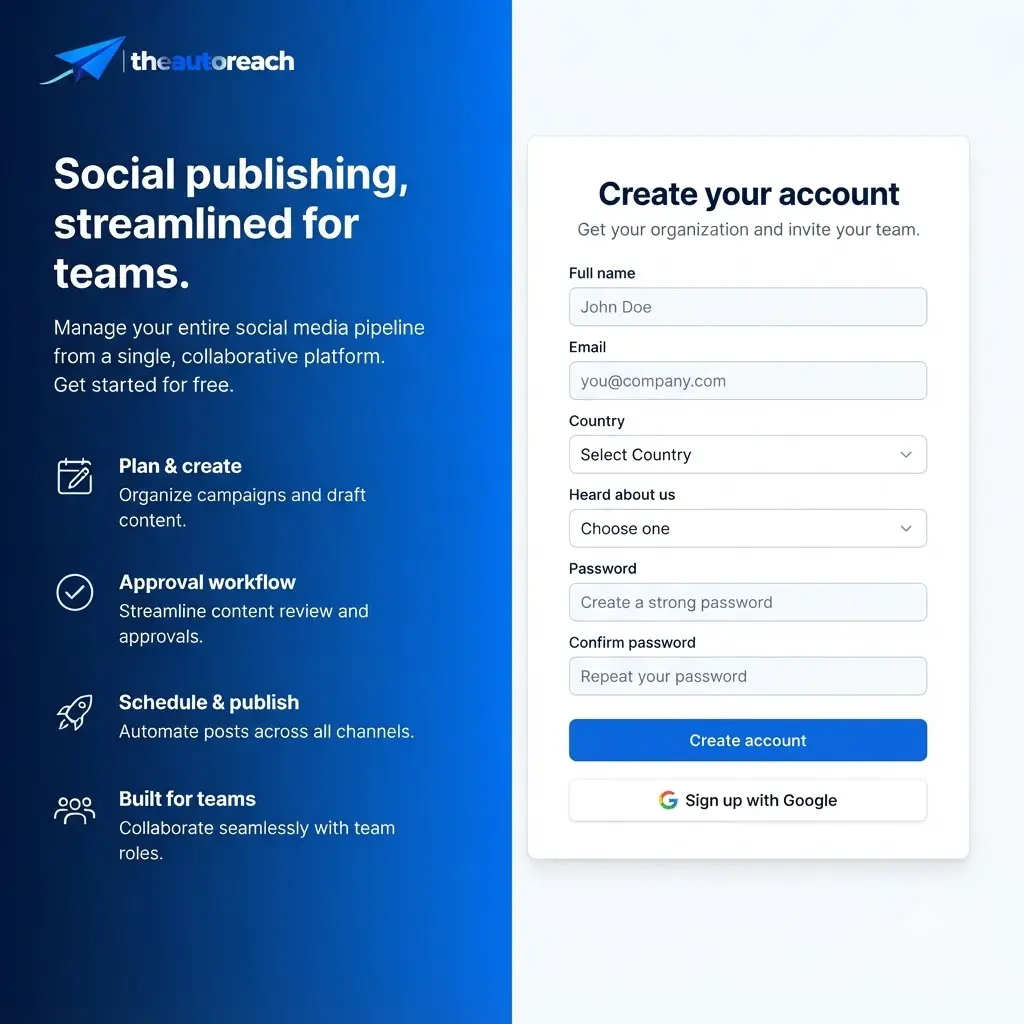
Signup UI placeholder

Connect social accounts

  • Official OAuth for LinkedIn, Facebook, Instagram & Nine more
  • Connect multiple accounts and client brands
  • Disconnect anytime — you stay in control
Connect accounts UI placeholder Secure & Safe — Official API connections
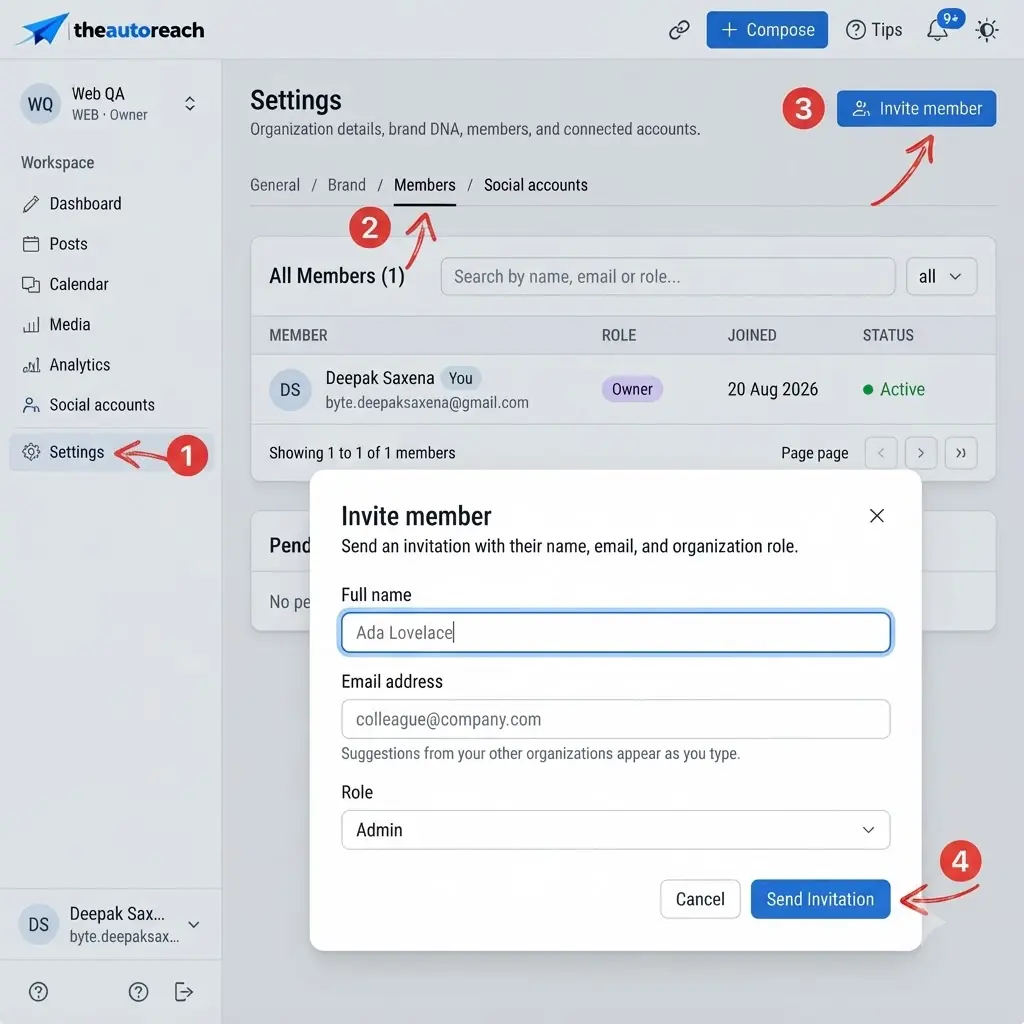
Invite your team members (optional)

  • Add teammates with clear roles
  • Review and approve before publishing
  • Collaborate in one shared workspace
Invite team UI placeholder

Create and schedule posts

  • Write once, publish across your channels
  • Preview how each network will look
  • Schedule for the perfect publish time
Compose & schedule UI placeholder

Manage, track and grow

  • See what’s published, queued, and next
  • Track reach, engagement, and growth
  • Stay consistent without daily manual posting
Analytics UI placeholder
Illustration placeholder
READY TO GET STARTED?

See it in action and try it yourself

Join TheAutoReach today and simplify your social media management.

Get started free